
SMS MCP Server for Jan
The Ozeki SMS MCP Server integrates with Jan, a privacy-first desktop AI assistant, to enable sending and receiving SMS messages through plain language prompts. The following guides cover server configuration, outgoing messaging, and incoming message retrieval.
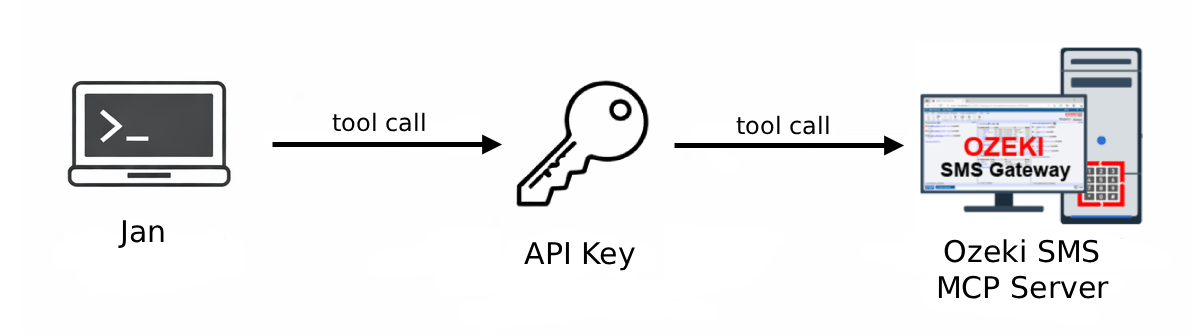
What is Jan?
Jan is an open-source, privacy-first desktop AI assistant available for Windows, macOS, and Linux. It supports both locally hosted models and remote AI providers through OpenAI-compatible APIs. Jan stores all data locally on your machine and provides a straightforward interface for managing models and having AI-powered conversations.
How to configure the Ozeki SMS MCP Server in Jan
This guide explains how to add the Ozeki SMS MCP Server to Jan, a privacy-focused desktop AI assistant. It covers registering the MCP server in Jan's settings with the correct URL and API key, enabling tool use for your model, and verifying that SMS tools appear in the chat interface.
How to configure the Ozeki SMS MCP Server in JanHow to set up an SMS MCP server to send SMS from Jan
This tutorial shows how to send SMS messages from Jan using the Ozeki SMS MCP server. It walks you through verifying the MCP tool connection, prompting the AI model in plain language to send an SMS, approving the tool use, and confirming delivery through the gateway logs.
How to set up an SMS MCP server to send SMS from JanHow to set up an SMS MCP server to receive SMS in Jan
This guide demonstrates how to retrieve incoming SMS messages in Jan via the Ozeki SMS MCP server. It covers verifying the tool connection, asking the AI to list incoming messages in plain language, approving the tool call, and confirming the transaction in gateway event logs.
How to set up an SMS MCP server to receive SMS in Jan