Jasmin SMPP Alternative: SMPP Client and SMPP Server in One Gateway
If you are running Jasmin and need a drop-in replacement that supports both SMPP client and SMPP server roles in a single gateway, Ozeki SMS Gateway offers a straightforward migration path with minimal downtime. This guide walks you through each step of moving your existing SMPP connections from Jasmin to Ozeki, from exporting your current configuration to validating live traffic in the new environment. By following the illustrated workflow below, you can replicate your Jasmin setup in Ozeki, preserve message routing behavior, and gain improved logging and management features.
How to setup Jasmin to send SMS through SMPP
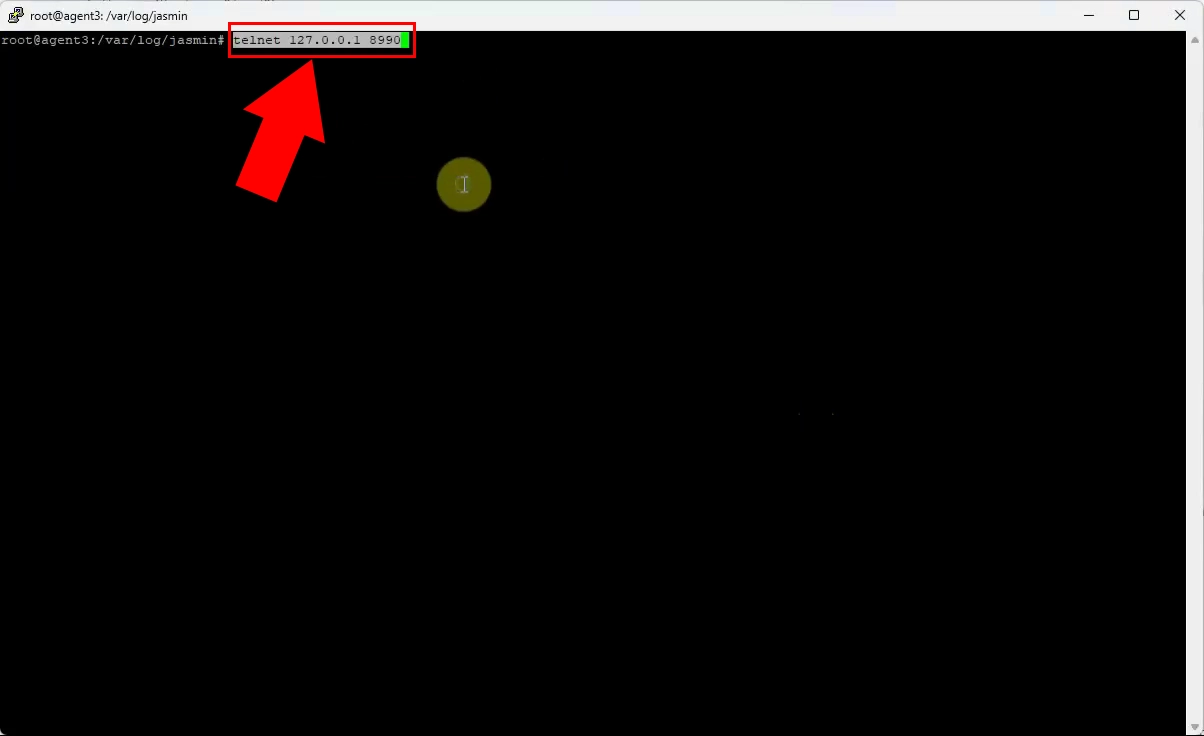
Connect to your existing Jasmin gateway via telnet to access its command-line interface and review current SMPP connector and route definitions. Export or document these settings, as they will be needed to recreate equivalent connections in Ozeki SMS Gateway. This step ensures you capture all active SMPP client/server parameters before migration.
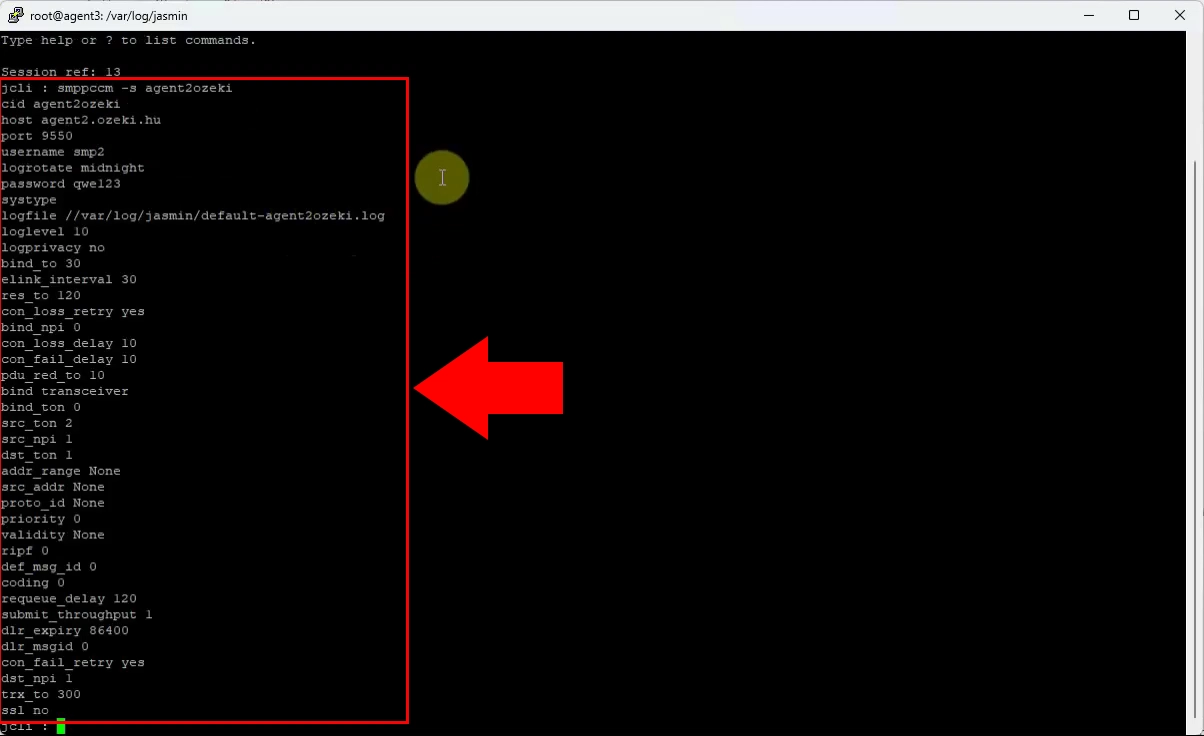
Inspect the SMPP connector and routing configuration inside Jasmin to identify system IDs, IP addresses, ports, and authentication details. Record these values carefully, since Ozeki will require them to establish compatible SMPP client or server connections. This configuration snapshot forms the basis for your new Ozeki setup.
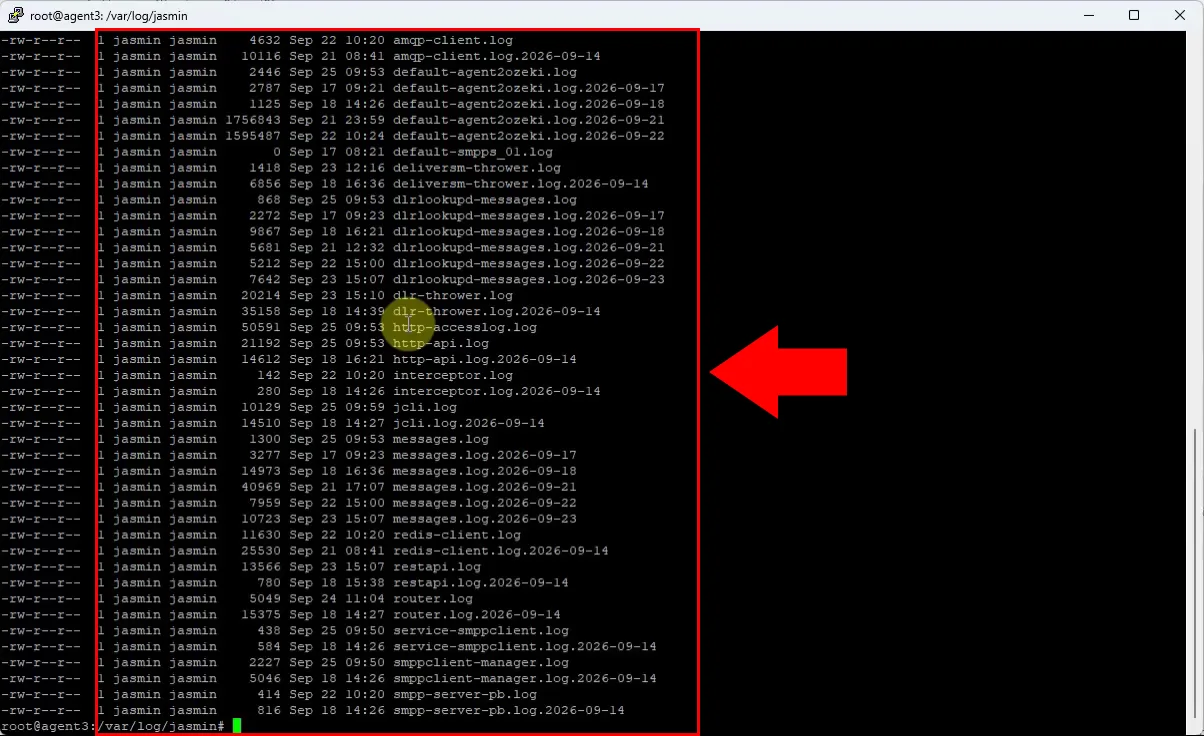
Locate and review Jasmin’s log files to understand current message flows, error patterns, and connection statuses. These logs help verify which SMPP links are active and whether any issues need to be resolved before or after migration. Keeping a copy of recent logs also aids troubleshooting during the transition.
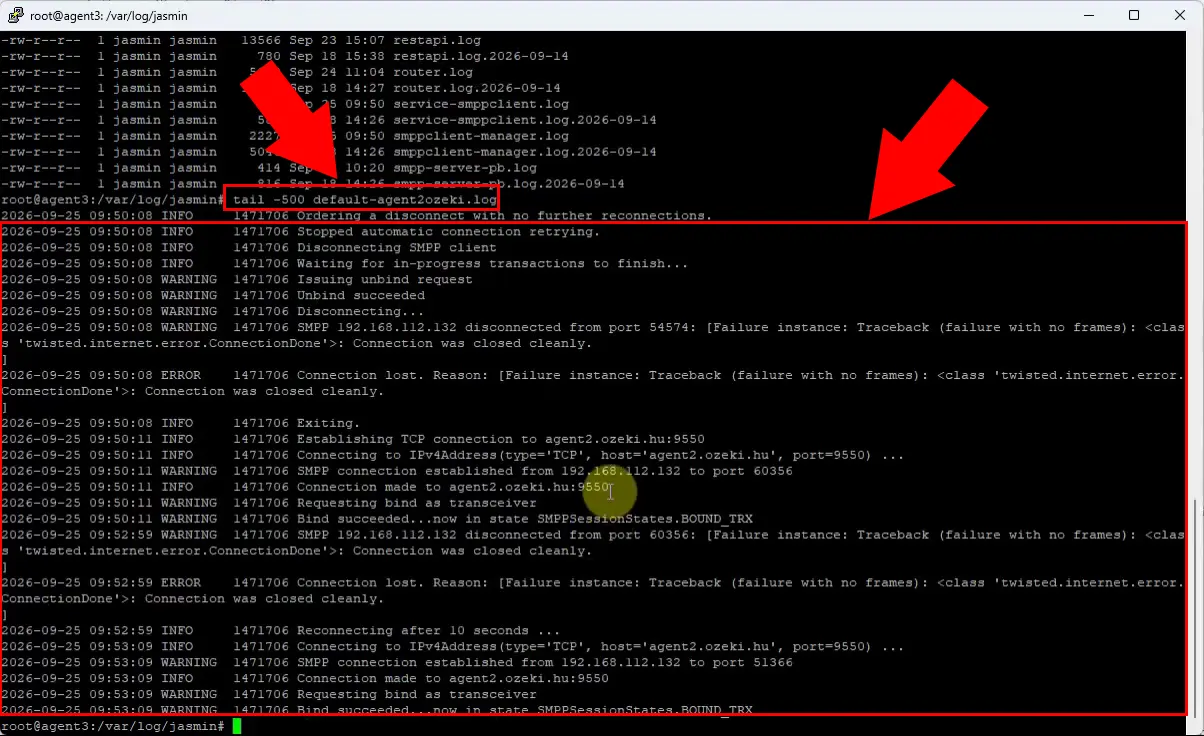
Examine the SMPP-specific logs in Jasmin to confirm bind types, throughput, and delivery report behavior for each SMPP session. Use this data to replicate equivalent performance and monitoring settings in Ozeki. Accurate log analysis ensures no critical SMPP behavior is lost during migration.
How to setup Ozeki to send SMS through SMPP
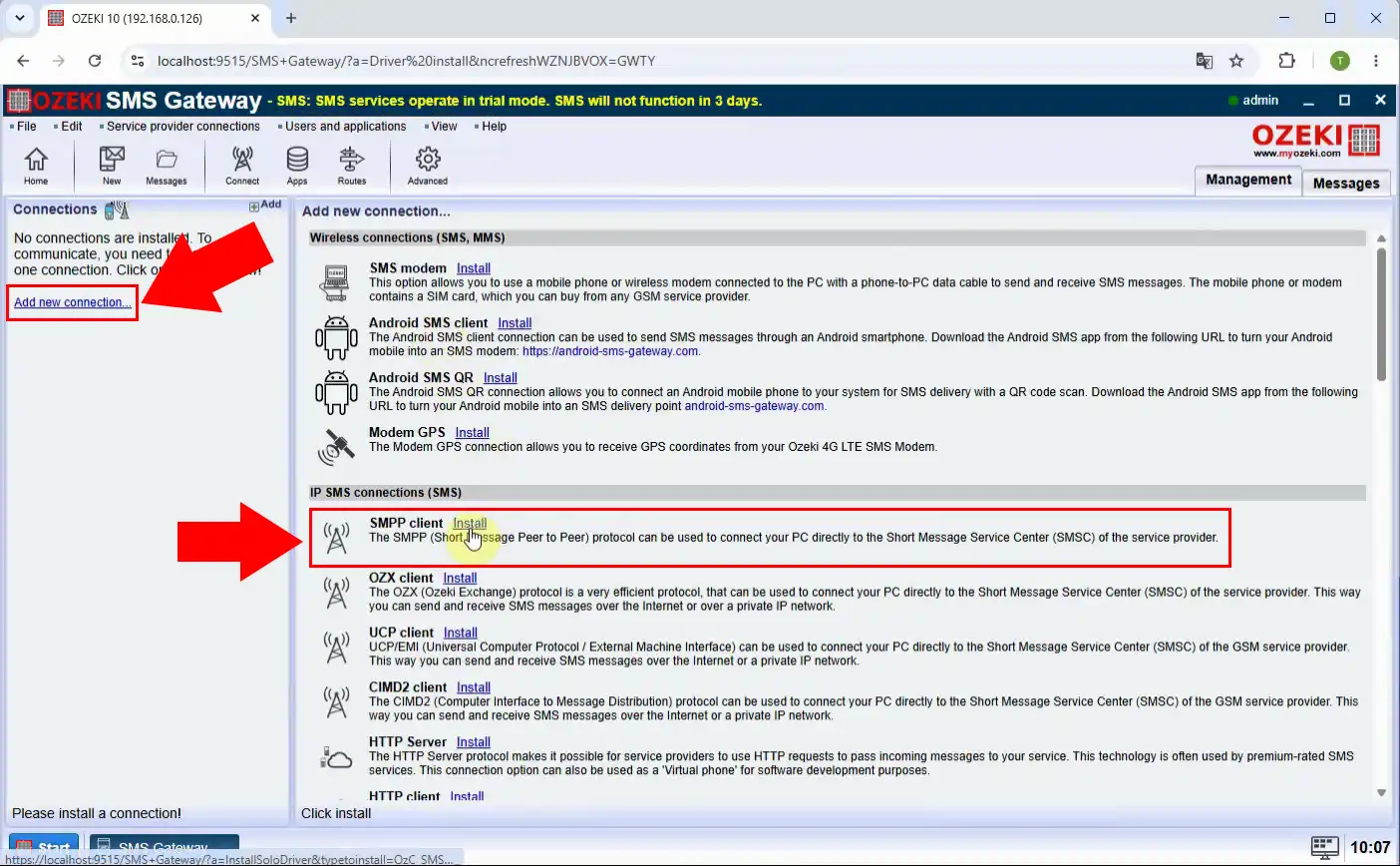
In Ozeki SMS Gateway, create a new SMPP client connection object to replace the Jasmin SMPP connector. Select the appropriate protocol version and assign a descriptive name that matches your documented Jasmin configuration. This object will handle outbound SMS submission to your SMSC or aggregator.
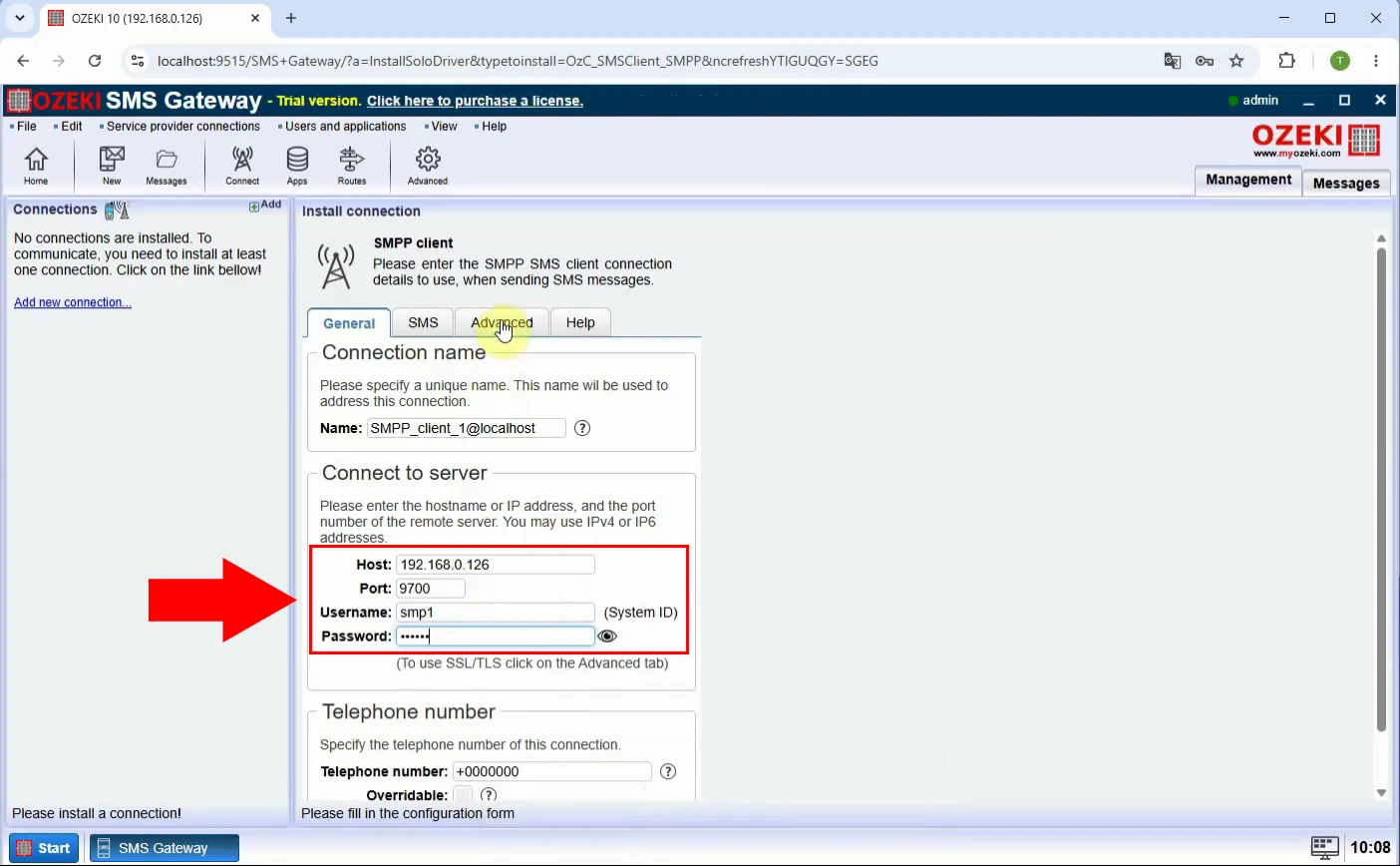
Enter the SMPP system ID, password, host, port, and other parameters you recorded from Jasmin into the Ozeki SMPP client configuration. Ensure the bind mode (transmitter, receiver, or transceiver) matches your original Jasmin setup. Correct configuration here guarantees seamless communication with your SMSC.
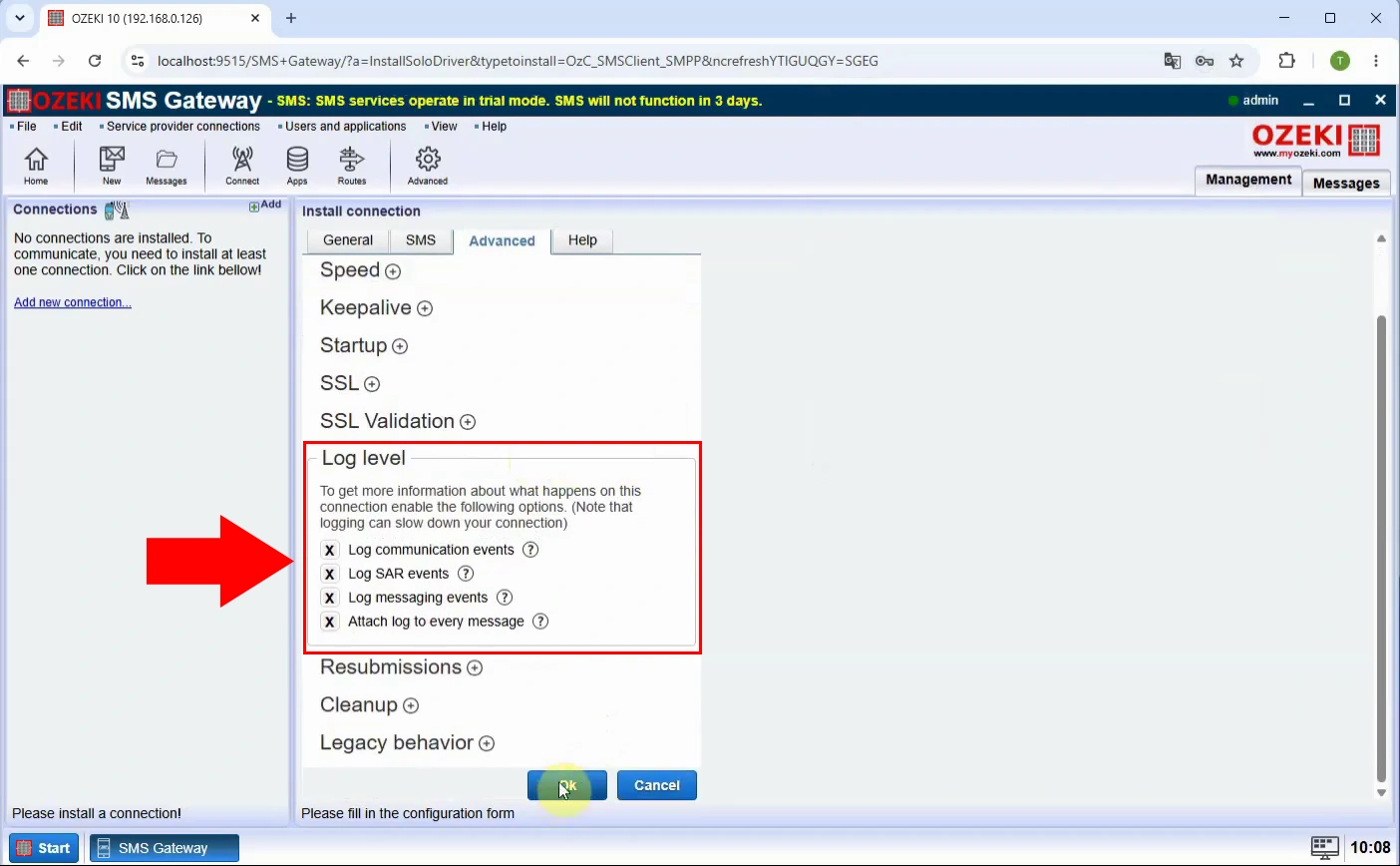
Activate detailed SMPP logging in Ozeki to mirror or improve upon Jasmin’s visibility into message traffic and connection events. Configure log levels and retention so you can monitor binds, submits, and delivery reports effectively. Enhanced logging simplifies troubleshooting and performance tuning post-migration.
Activate the newly created SMPP client connection in Ozeki and verify that it successfully binds to the remote SMSC. Check the connection status dashboard to confirm a stable session before routing live traffic. A successful bind indicates your SMPP link is ready for production use.
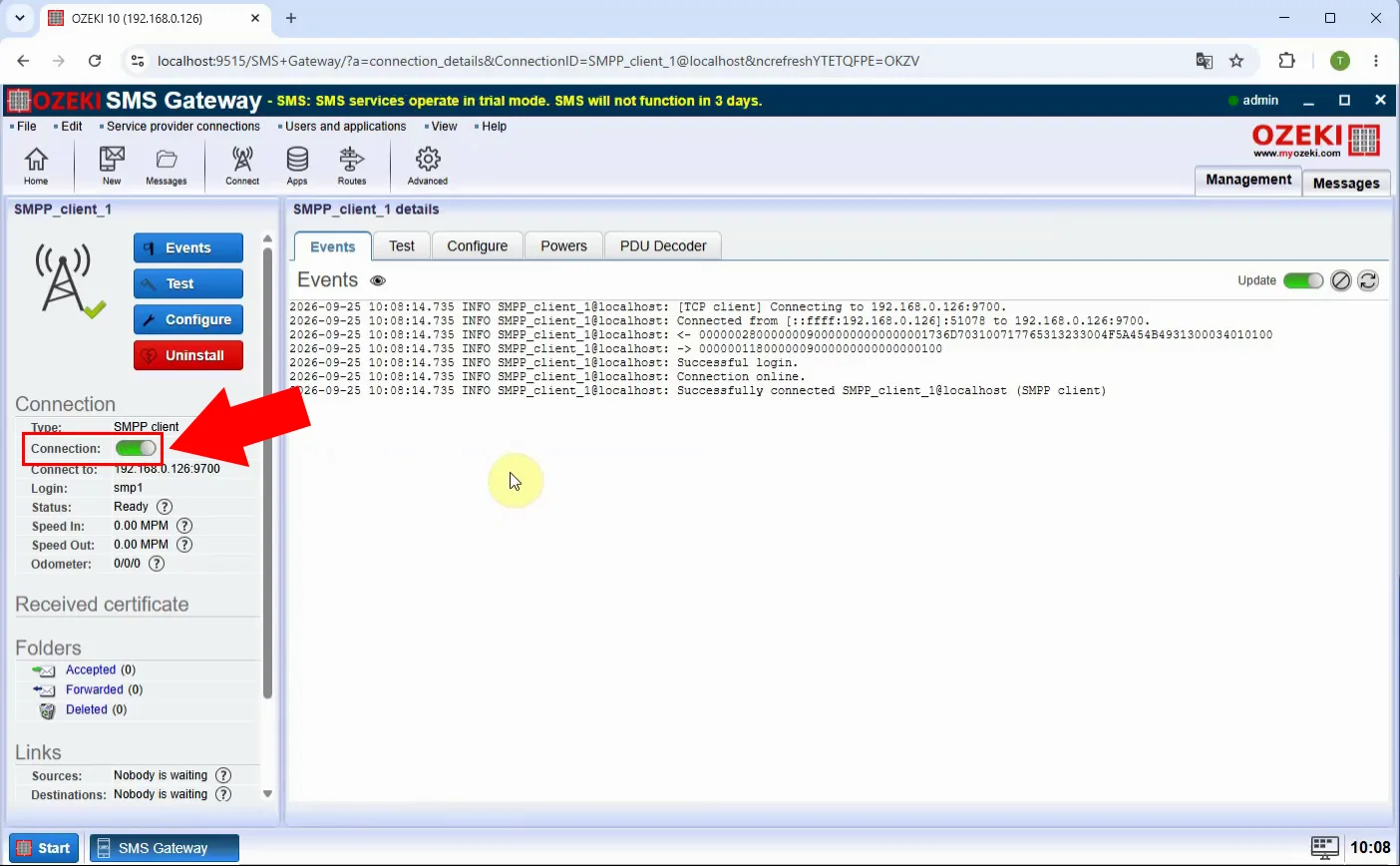
Submit a test SMS through the Ozeki gateway using the new SMPP client connection to validate end-to-end functionality. Confirm that the message is accepted by the SMSC and that routing rules behave as expected. This test proves your migration path works before switching production traffic.
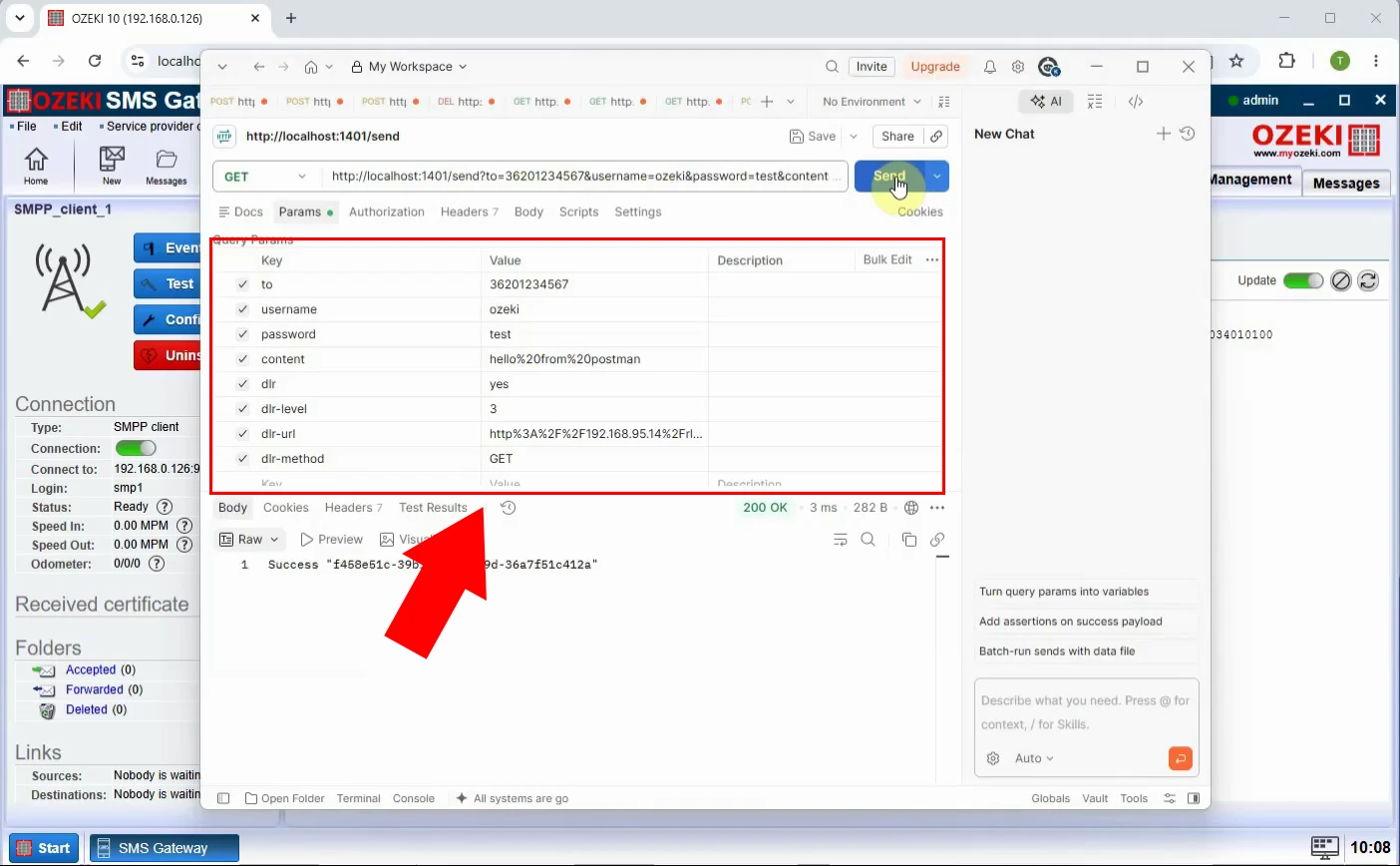
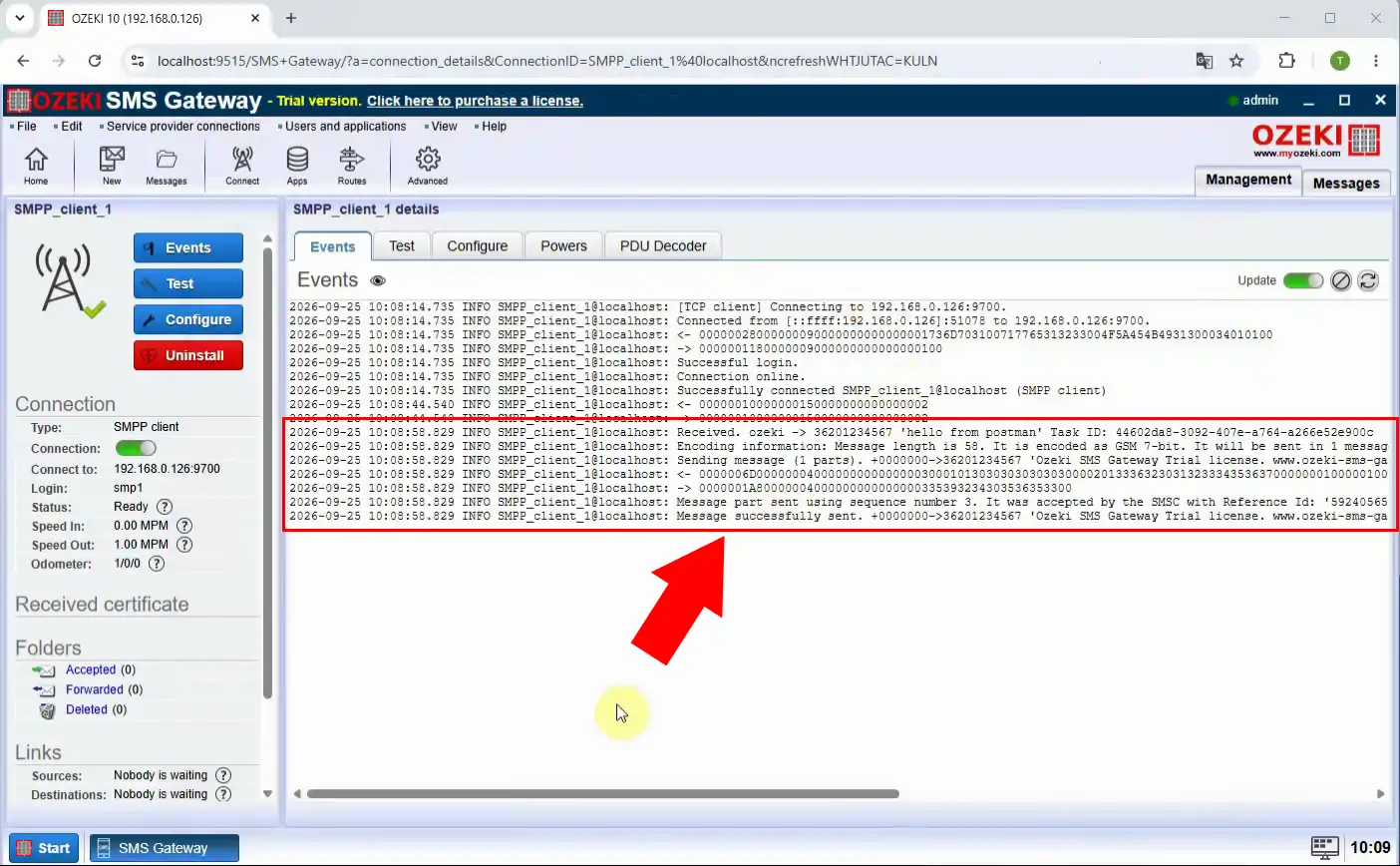
Review Ozeki’s SMPP logs to verify that the test message was transmitted correctly and that delivery reports are received and processed. Compare these logs with your earlier Jasmin logs to ensure equivalent or improved behavior. Once validated, you can confidently redirect all SMPP traffic from Jasmin to Ozeki.