
How to send SMS from the windows command line
The sendsms.exe is a simple command line tool, that allows you to send sms messages from the windows command line (cmd.exe or powershell). This page gives you the download location of this tool, and it provides information on how to use it.

What is sendsms.exe?
SendSms.exe is a small command line tool that sends SMS messages directly from cmd.exe or PowerShell, without opening any graphical interface. It works by making an HTTP request to an HTTP API user you've already set up in Ozeki SMS Gateway, passing the recipient number, message text, and your API credentials as command line arguments. This makes it easy to trigger SMS messages from scripts, scheduled tasks, or any other tool that can run a command line program.

How does it work?
SendSms.exe takes the recipient number and message text as its first two arguments, followed by flags for the HTTP API host, port, username, and password you set up beforehand. When you run it, it sends an HTTP request to that HTTP API user in Ozeki SMS Gateway, authenticating with the username and password you provide. Ozeki SMS Gateway then forwards the message out to the mobile network, the same way it would for any other connection type.

Video tutorial
The following video shows how to use SendSms.exe to send an SMS from the Windows command line, from setting up an HTTP API user in Ozeki SMS Gateway to running the tool with your credentials, recipient number, and message text as command line arguments. Watching it once should be enough to have your own test message sent within a couple of minutes.
Download sendsms.exe
The download URL you can download this tool is:
https://ozeki-sms-gateway.com/attachments/8671/SendSms.exe
How to use
To use this tool please setup a http api user, where you create a username and password. After this, please download SendSms.exe from this page and use the newly created http username and password with the following command line options.
The following webpager provides information on how to create a HTTP API user:
How to create a http api use in Ozeki Sms GateawayCommand line parameters
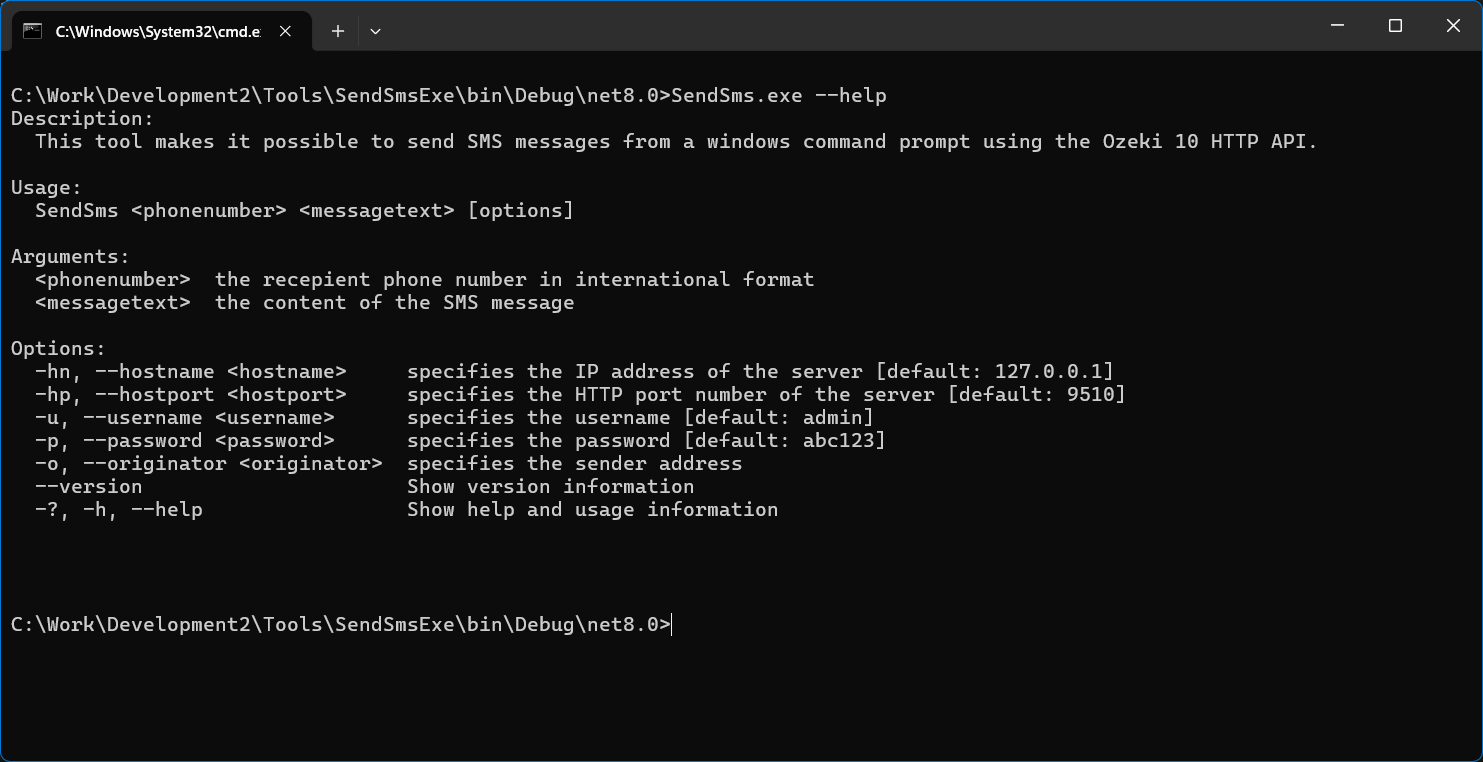
How to send SMS to multiple numbers
SendSms.exe "+36201234567,+36307654321" "Hello World" -hn "192.168.1.126" -hp "9509" -u "http" -p "abc123"