
SMS MCP Server for OpenWebUI
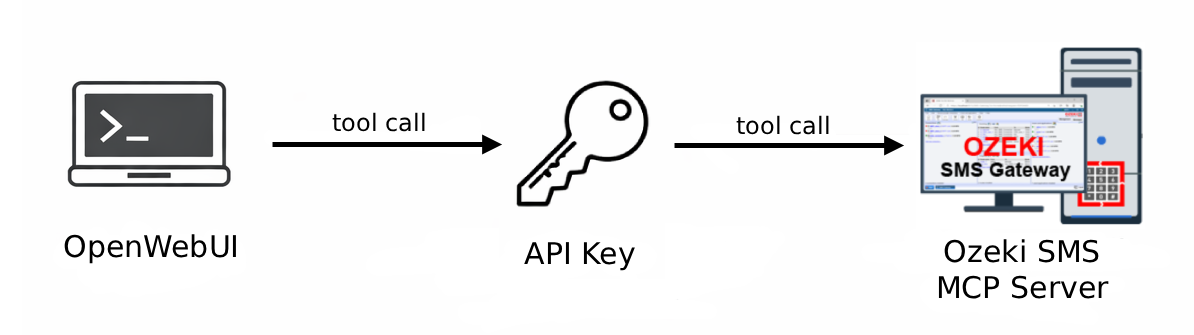
This page provides a complete guide to setting up SMS functionality in OpenWebUI using the Ozeki SMS MCP Server. It covers configuration, sending messages, and receiving messages through plain language prompts.
What is OpenWebUI?
OpenWebUI is an extensible, feature-rich, and user-friendly self-hosted web interface designed to work with various LLM providers. It offers a modern chat interface that supports multiple AI models, conversation history, user management, and API integrations.
How to configure the Ozeki SMS MCP Server with OpenWebUI
This guide explains how to add the Ozeki SMS MCP Server to your OpenWebUI installation so you can send and receive SMS messages. It covers opening the admin panel, navigating to settings, adding the tool server with a Streamable HTTP connection type, entering the server URL and Bearer API key, and verifying the connection is active in the integrations list.
How to configure the Ozeki SMS MCP Server with OpenWebUIHow to send SMS from OpenWebUI
This tutorial shows how to send SMS messages directly from OpenWebUI using the Ozeki SMS MCP server. You will enable the SMS MCP tool in a new chat, type a plain language prompt to request sending an SMS, and then verify the message was delivered by checking the gateway event logs.
How to set up an SMS MCP server to send SMS from OpenWebUIHow to receive SMS in OpenWebUI
This guide demonstrates how to retrieve incoming SMS messages in OpenWebUI via the Ozeki SMS MCP server. It covers enabling the MCP tool in a chat, asking the AI to list incoming messages using a plain language prompt, and confirming the transaction in the gateway event logs.
How to set up an SMS MCP server to receive SMS in OpenWebUI